
Mastering Claude
Module 1 · Module 1 — Getting started with Claude · Lesson 1 of 1
Getting started with Claude
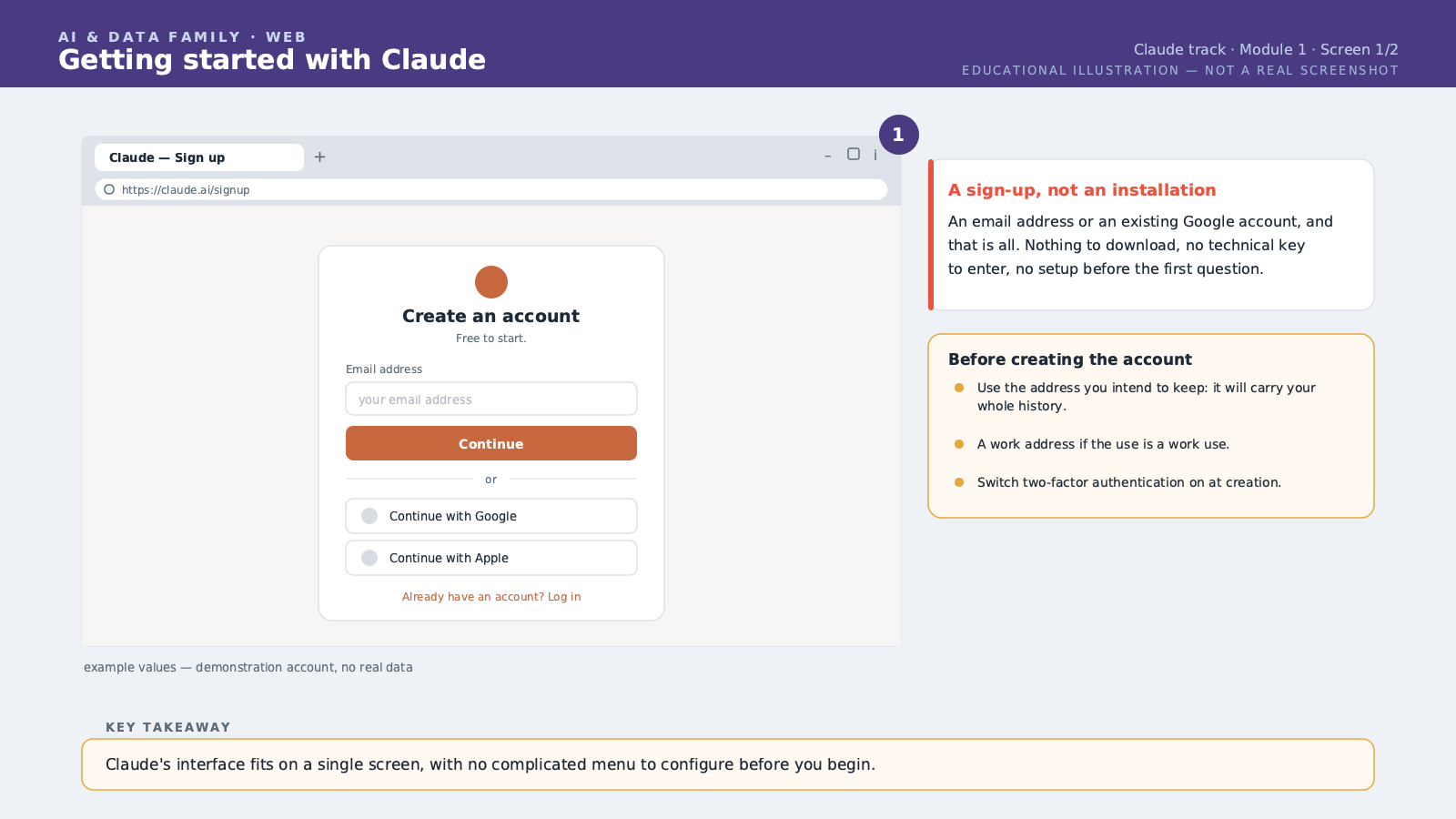
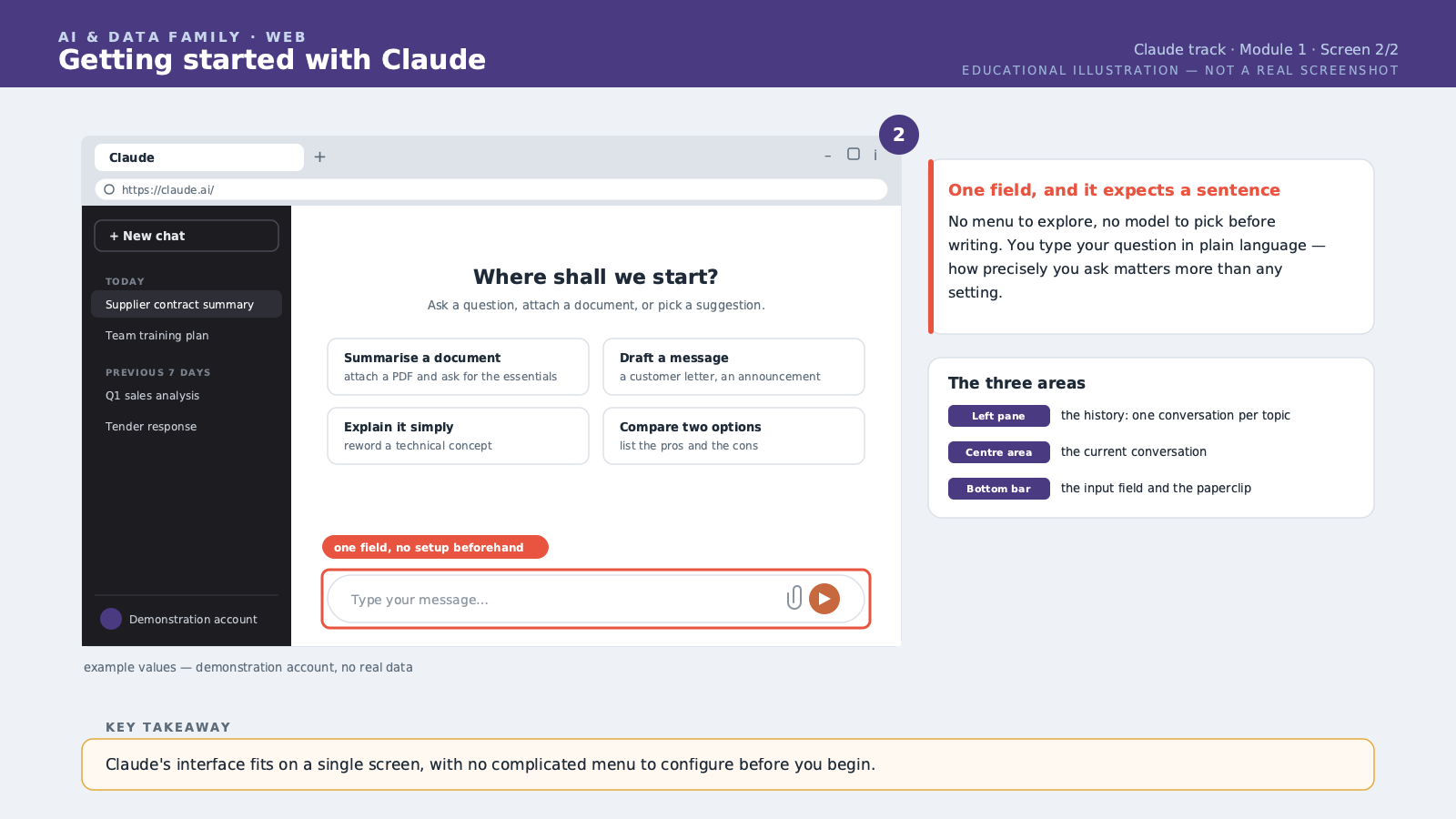
Welcome to this first module. Today, you will discover Claude, the AI — Artificial Intelligence — assistant built by the company Anthropic. Claude works like a colleague you chat with in writing: you type what you need, and it replies within a few seconds. Let's start with creating your account. Go to the official Claude website in your usual web browser. You can sign up with an email address, or with a Google account if you have one. Once signed up, you land on the main interface: a large empty conversation area, with a box at the bottom where you type your message. That's it. No complicated menu, no technical setup required before you begin. Before writing your first message, there is one essential thing to understand: Claude does not guess what you want, it responds to what you write. The more precise your request, the better the answer. This is called a "prompt," meaning an instruction given to the assistant. A good prompt usually has three parts: the context, meaning the situation; the task, meaning what you want to get; and the format, meaning how you want the answer presented. Let's take a concrete example. If you simply write "write an email," Claude will guess and produce something very generic. But if you write: "I manage a clothing shop in Dubai. Write a short email, in French, to inform my customers that a new collection arrives next week. The tone should be warm and make people want to visit the shop." — now Claude has everything it needs to produce a result you can use right away. You will also notice that the conversation remembers what you said earlier, as long as you stay in the same chat. You can therefore ask Claude to adjust its answer: "make it shorter," or "add a touch of humour," without rewriting everything from scratch. It's a conversation, not a series of isolated commands. Finally, a word on reliability. Claude can make mistakes, especially with precise facts, figures or dates. We will come back to this in detail in the last module of this course. For now, just remember one simple rule: the more factual and important the question, the more you should verify the answer before using it. In this lesson, you learned to create an account, understand the conversation interface, and structure an effective first prompt with context, task and format. This is the foundation the rest of the course builds on.
Free preview, no account needed — the rest of this module and the following modules unlock after enrolling.
Convinced? Enroll to unlock the full course.
See pricing