
Mastering Claude Code
Module 1 · Module 1 — Discovering Claude Code: install, first steps, agentic philosophy · Lesson 1 of 1
Discovering Claude Code: install, first steps, agentic philosophy
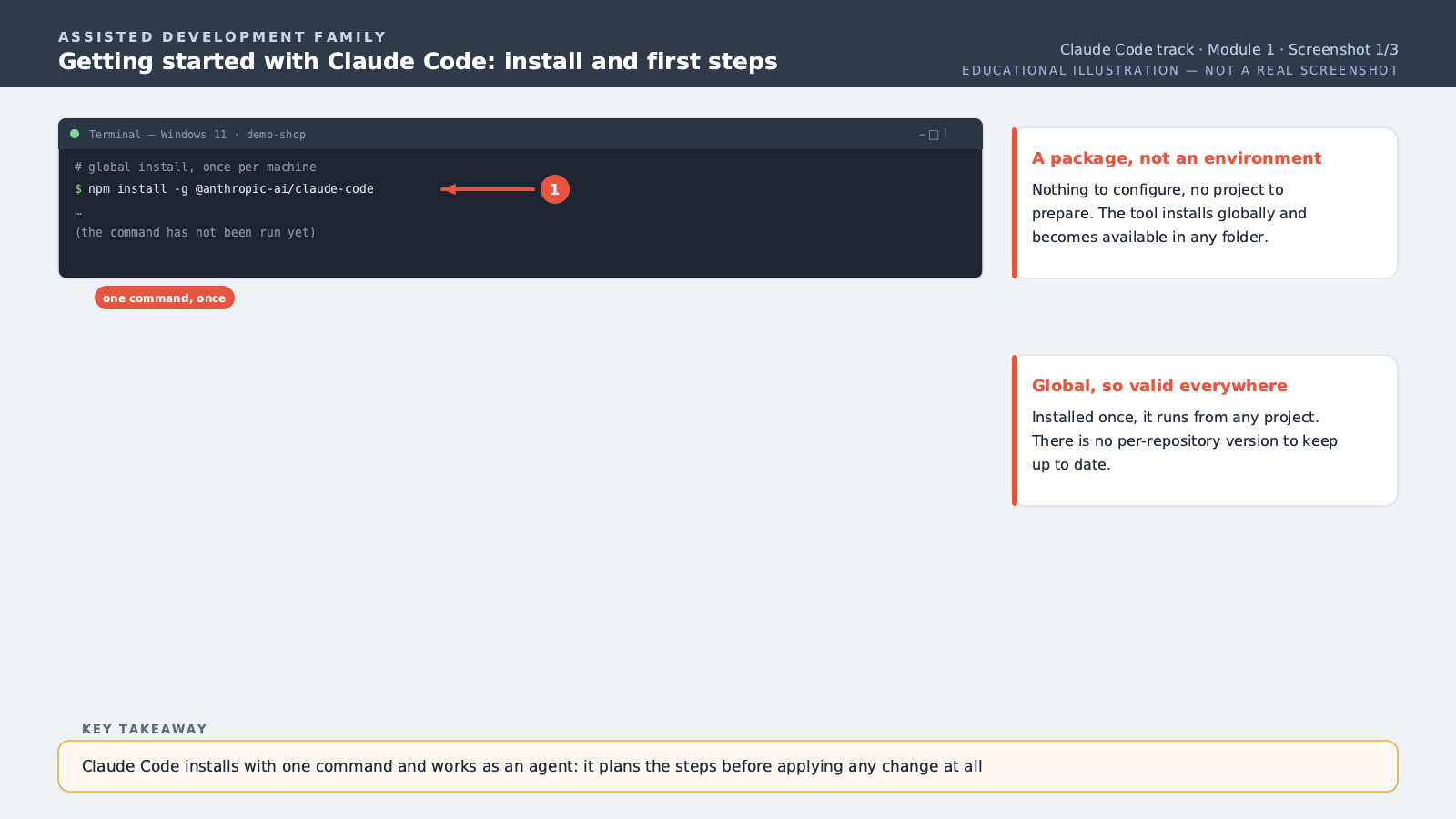
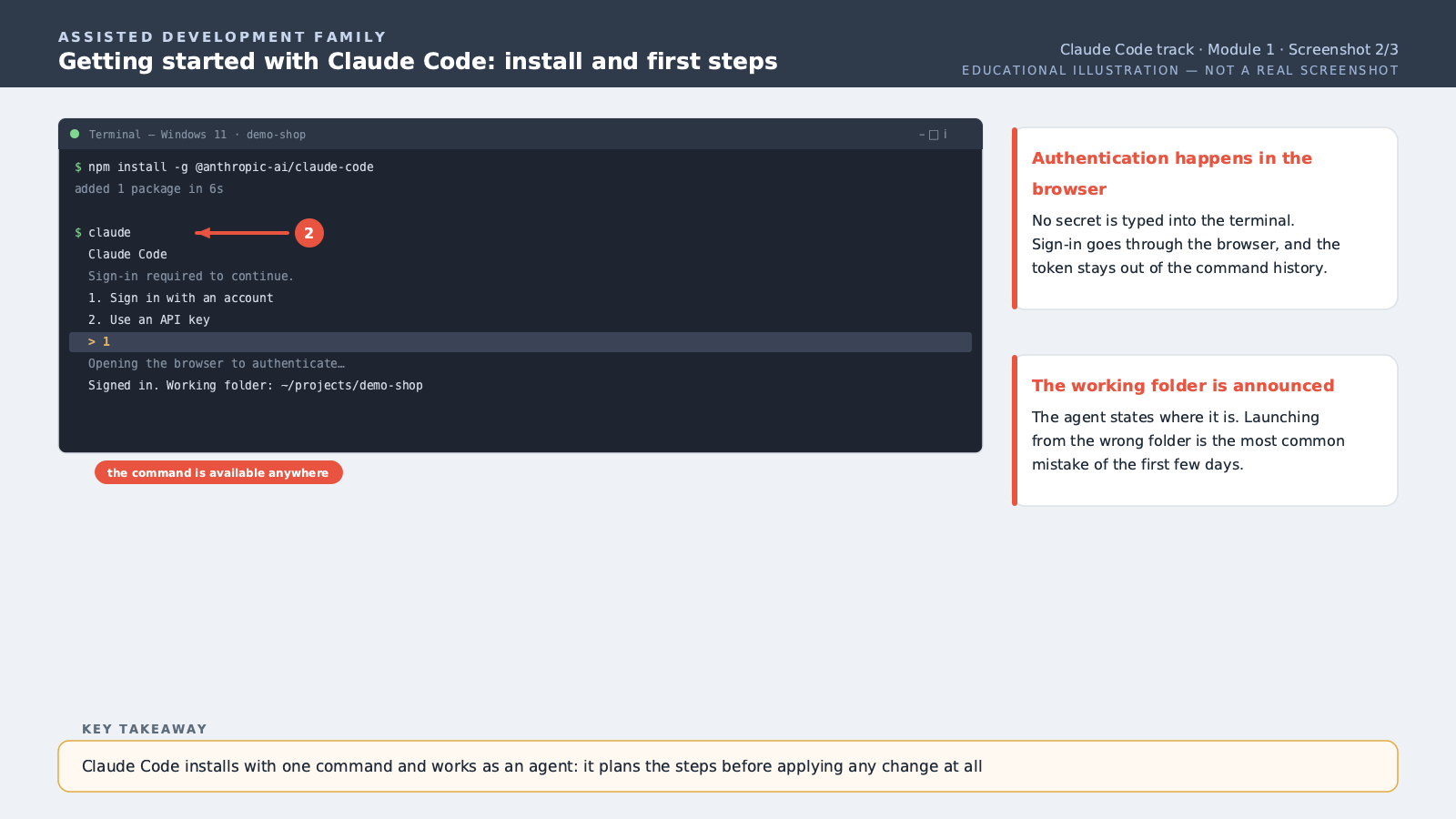
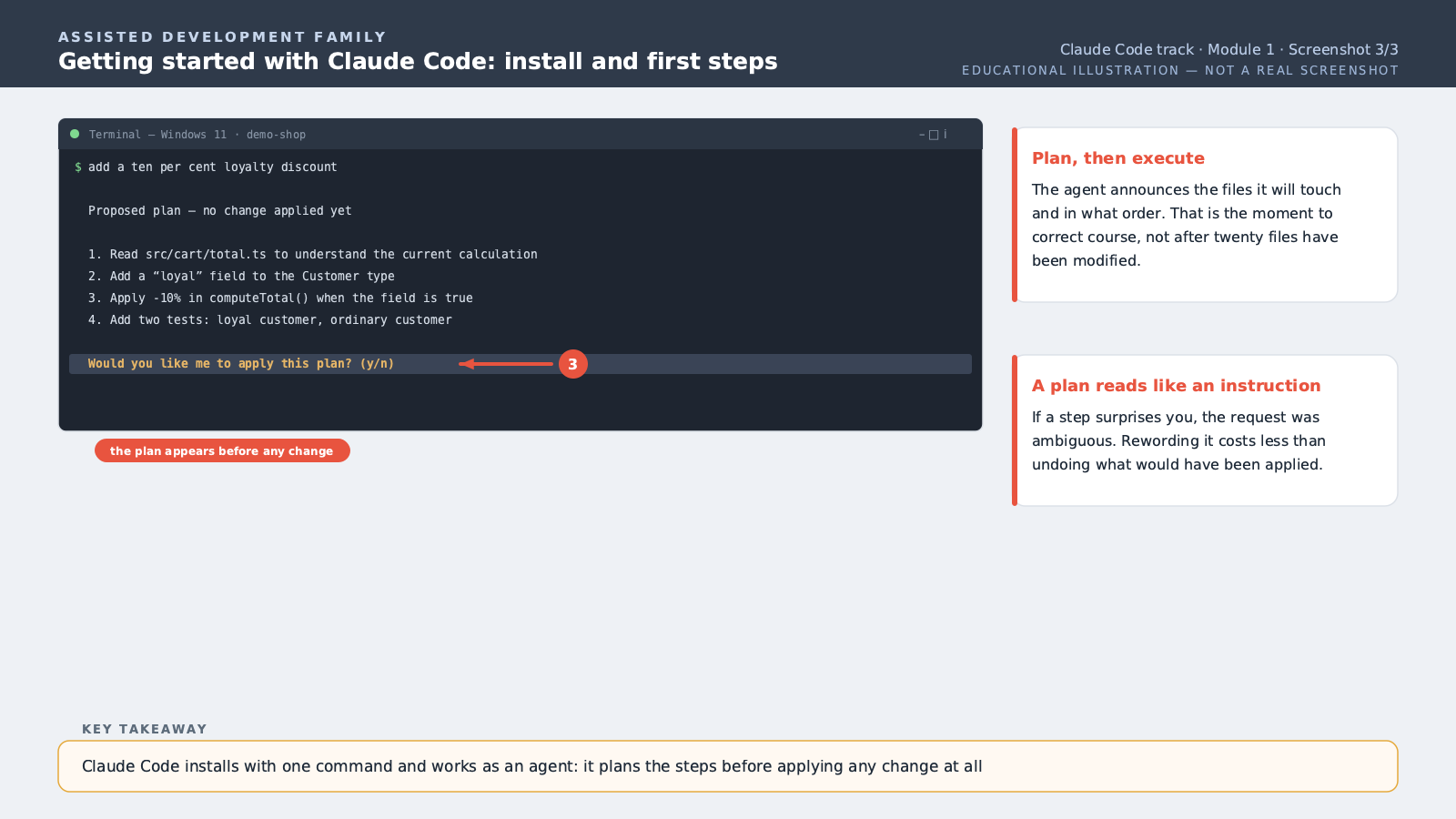
Welcome to this course dedicated to Claude Code, the command-line programming assistant built by Anthropic. Let's start with an essential distinction. Most code-help tools you may have already used work by autocompletion: they suggest the end of a line or function as you type, and you approve each suggestion one at a time. Claude Code works differently. It's what's called an agent: you give it a goal in plain language — for example, "add a ten-percent loyalty discount for customers with more than five orders." It then plans the necessary steps itself: it reads the relevant files, proposes or applies changes, runs existing tests, and fixes its own mistakes if a test fails. Installation happens on the command line, via a package manager like npm. Once installed, you launch Claude Code from your project's folder, in your terminal. The first step is authentication: Claude Code asks you to sign in with your account, to tie the tool's use to your subscription. Once signed in, you can immediately give it an instruction. Here's what happens concretely, step by step. First, Claude Code explores your project to understand its context — which files exist, how they're organized. Then, for non-trivial tasks, it generally presents a plan of what it intends to do before starting. Next it executes that plan, editing the necessary files. Finally, if tests exist, it can run them to verify nothing broke, and fix things if needed. This "plan, execute, verify, fix" loop is what's called the agentic philosophy. It fundamentally changes how you work: instead of approving tiny suggestions one at a time, you delegate a whole task and review it at the end, a bit like handing a clear mission to a junior colleague. One last important point to start off right: Claude Code keeps control in your hands. By default, it asks for confirmation before certain sensitive actions, like running a command or editing several files at once. We'll go deeper into fine-grained permission management later in the course — for now, the key point is that you remain the final decision-maker.
Free preview, no account needed — the rest of this module and the following modules unlock after enrolling.
Convinced? Enroll to unlock the full course.
See pricing