
AI-Assisted Development
Module 1 · Tools Overview · Lesson 1 of 1
Tools overview
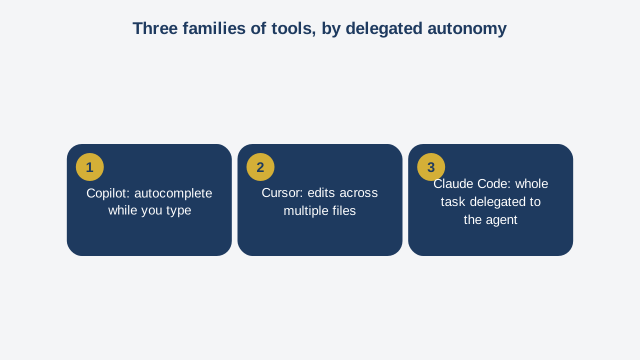
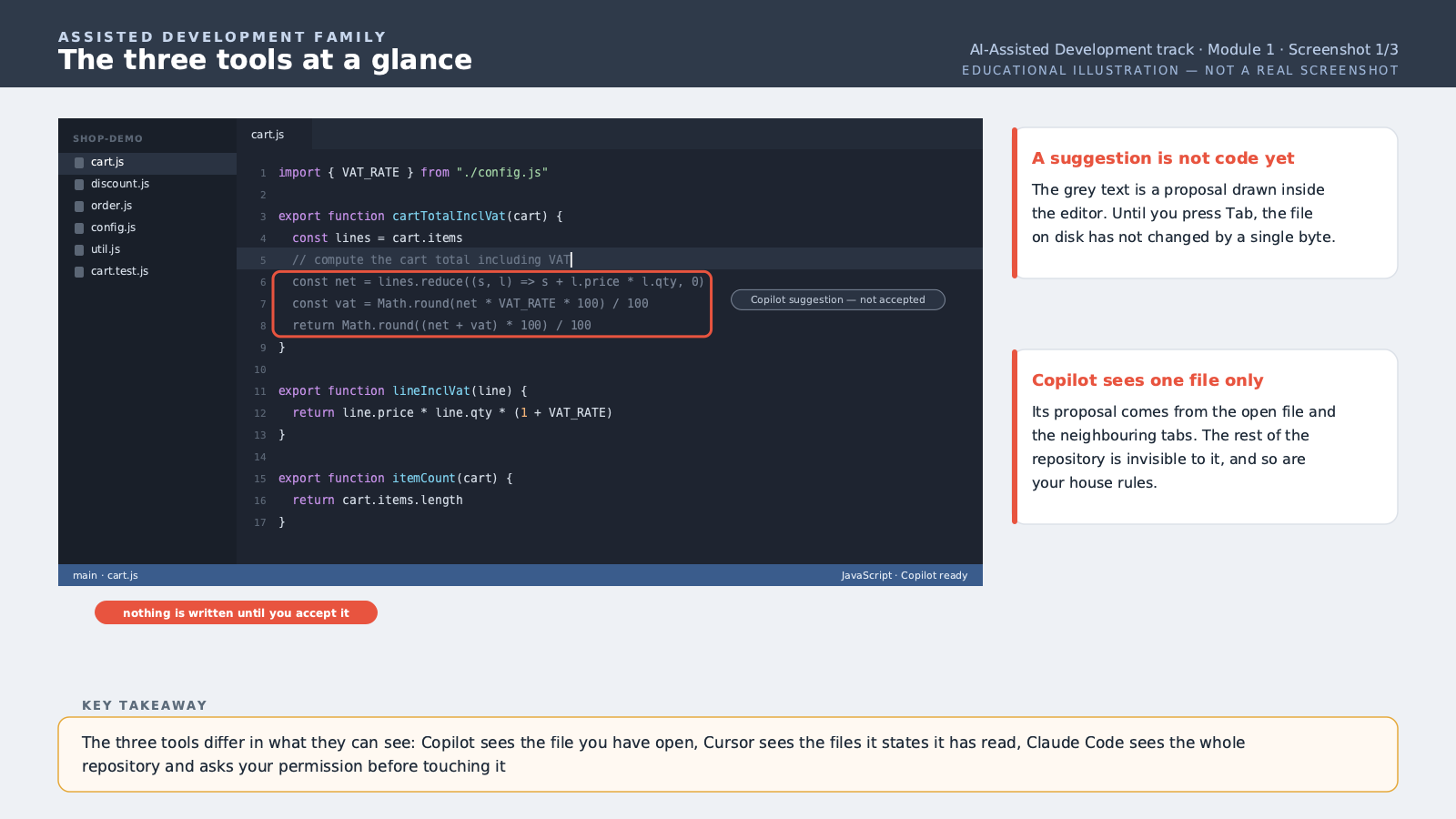
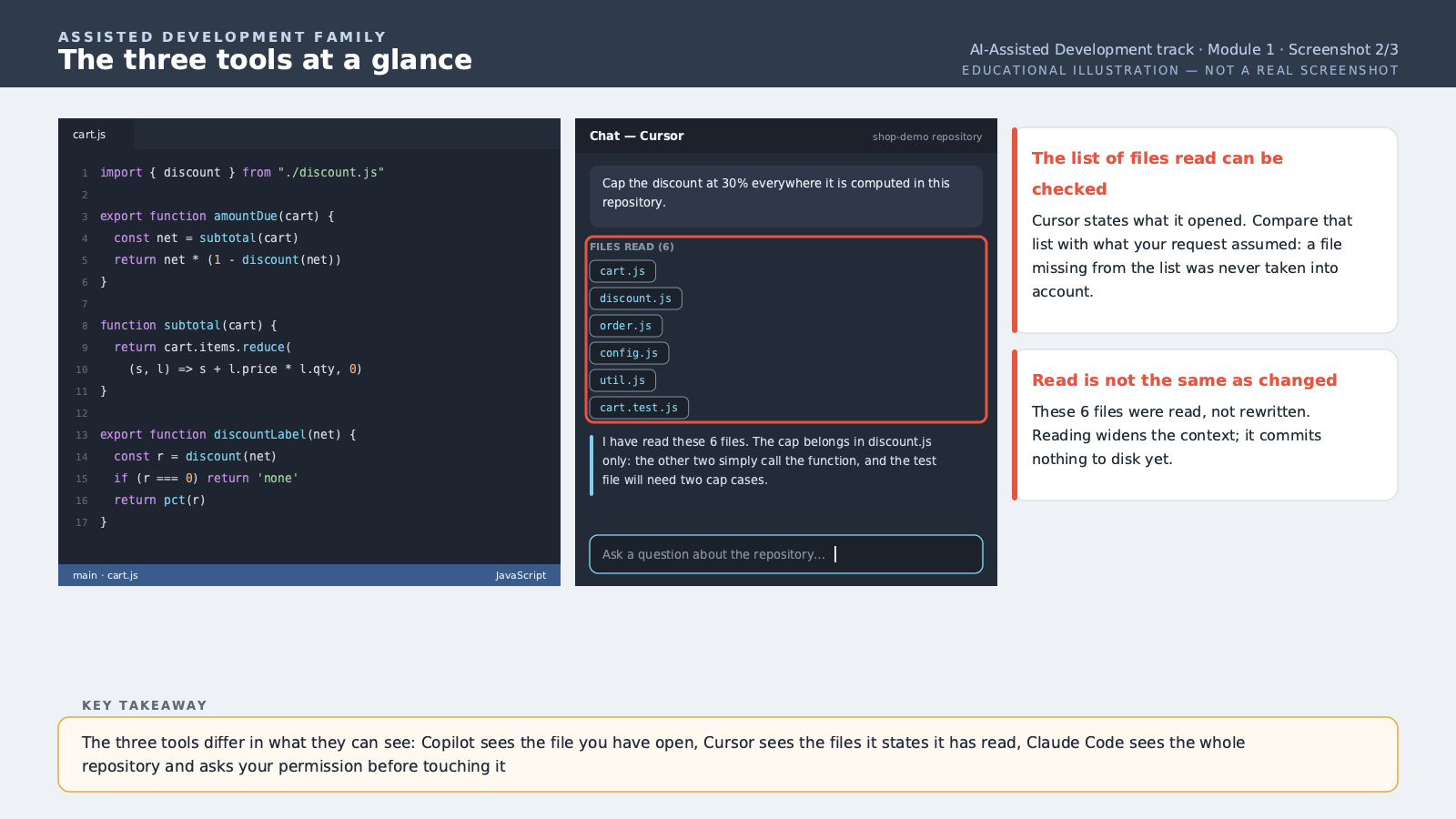
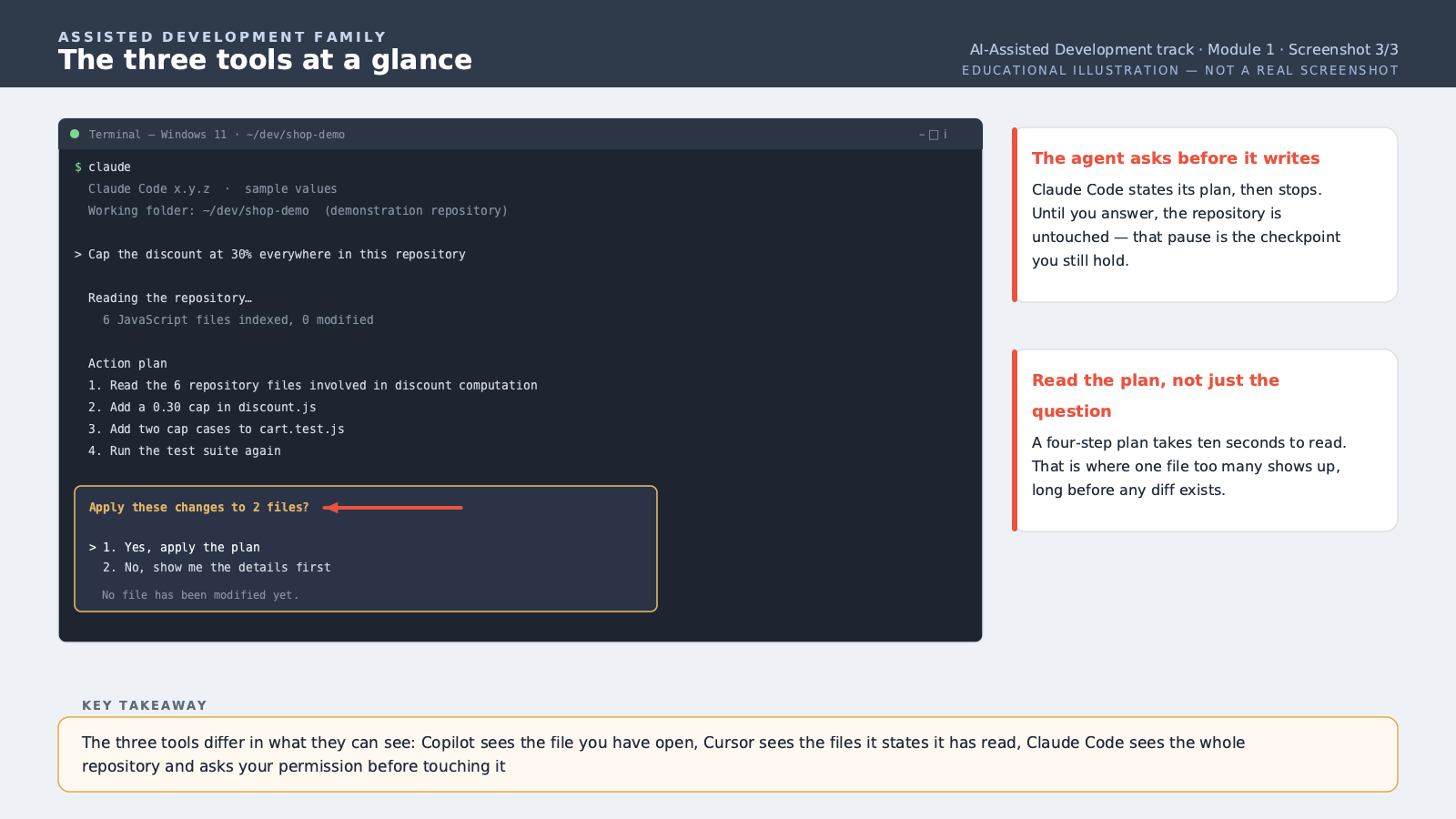
This course isn't centered on a single tool. That's an important distinction to grasp from the start: the goal is to learn a method for collaborating with artificial intelligence that stays valid no matter which tool you use over your career, because tools change fast, but the method holds. Three tools serve as reference points throughout this course. GitHub Copilot, first: the closest to classic autocompletion, built directly into your code editor, suggesting the rest of a line or function as you type. It's fast, unobtrusive, suited to continuous use throughout the day. Cursor, next: a code editor built entirely around artificial intelligence, going further than simple suggestions — it can understand a whole project and propose changes across several files at once, while staying inside the familiar interface of a code editor. Claude Code, finally, mentioned here as one tool among others — a dedicated course exists on this specific tool if you want to go deeper: a command-line agent able to plan and execute complete tasks autonomously, with human oversight. How do you choose between these three families? The answer depends on the task, not a general preference. For fast completion while you write the code yourself, Copilot-style autocompletion is enough and quick. For a change touching several files at once with a big-picture view, an A.I.-native editor like Cursor becomes more relevant. For delegating a whole task end to end — say, "add tests to this module" — a command-line agent like Claude Code is often the most effective, because it can execute and verify the result itself. One method point to keep for the whole course: rather than becoming dependent on a single tool, learn to recognize the type of task in front of you, and pick the tool whose way of working best matches that task type. This choosing skill stays valid even once today's tools are replaced by new versions.
Free preview, no account needed — the rest of this module and the following modules unlock after enrolling.
Convinced? Enroll to unlock the full course.
See pricing