
Automating with Make
Module 1 · Module 1 — Discovering Make and Visual-Scenario Logic · Lesson 1 of 1
Scenario, Module, Operation: Make's Vocabulary
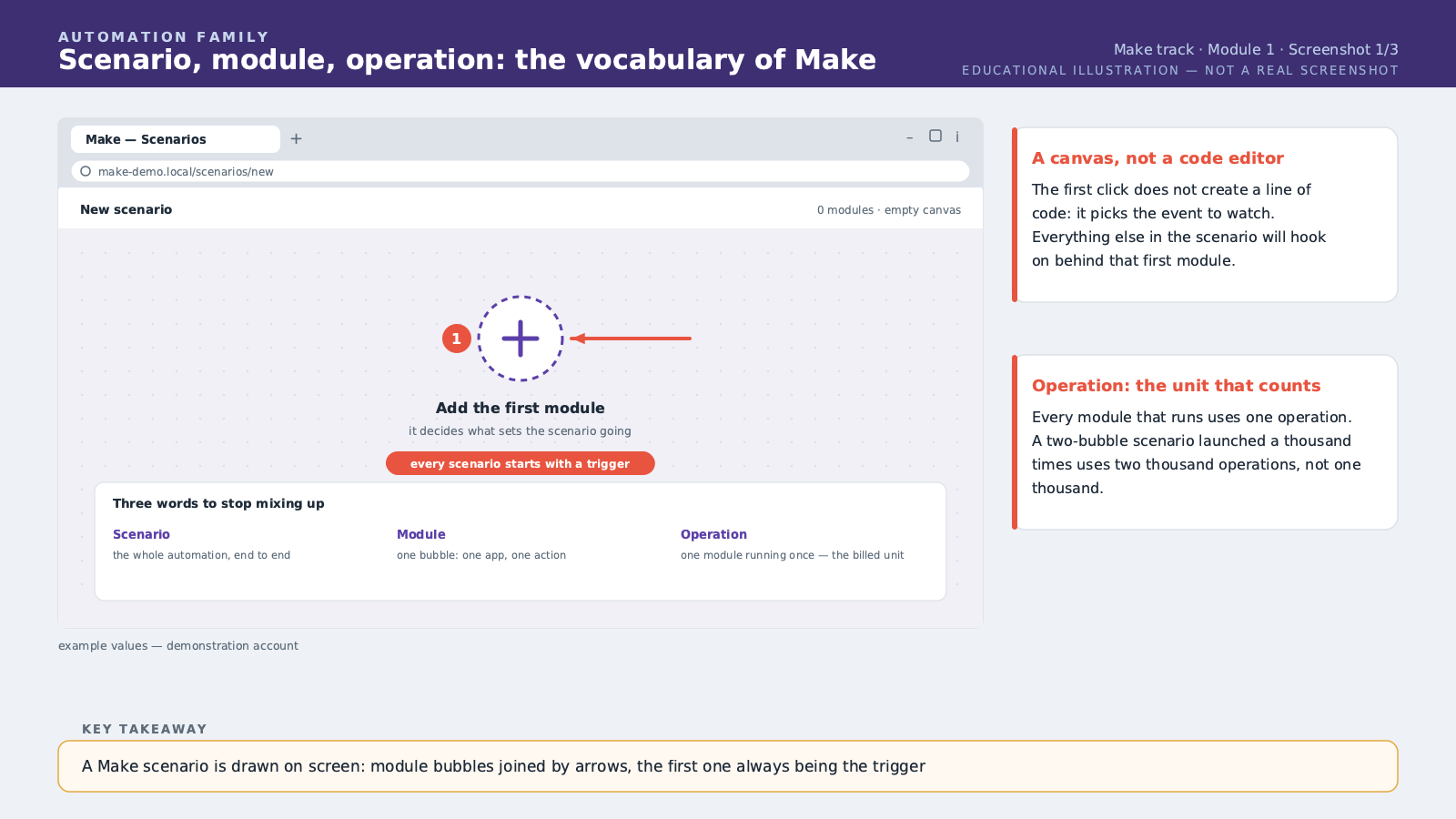
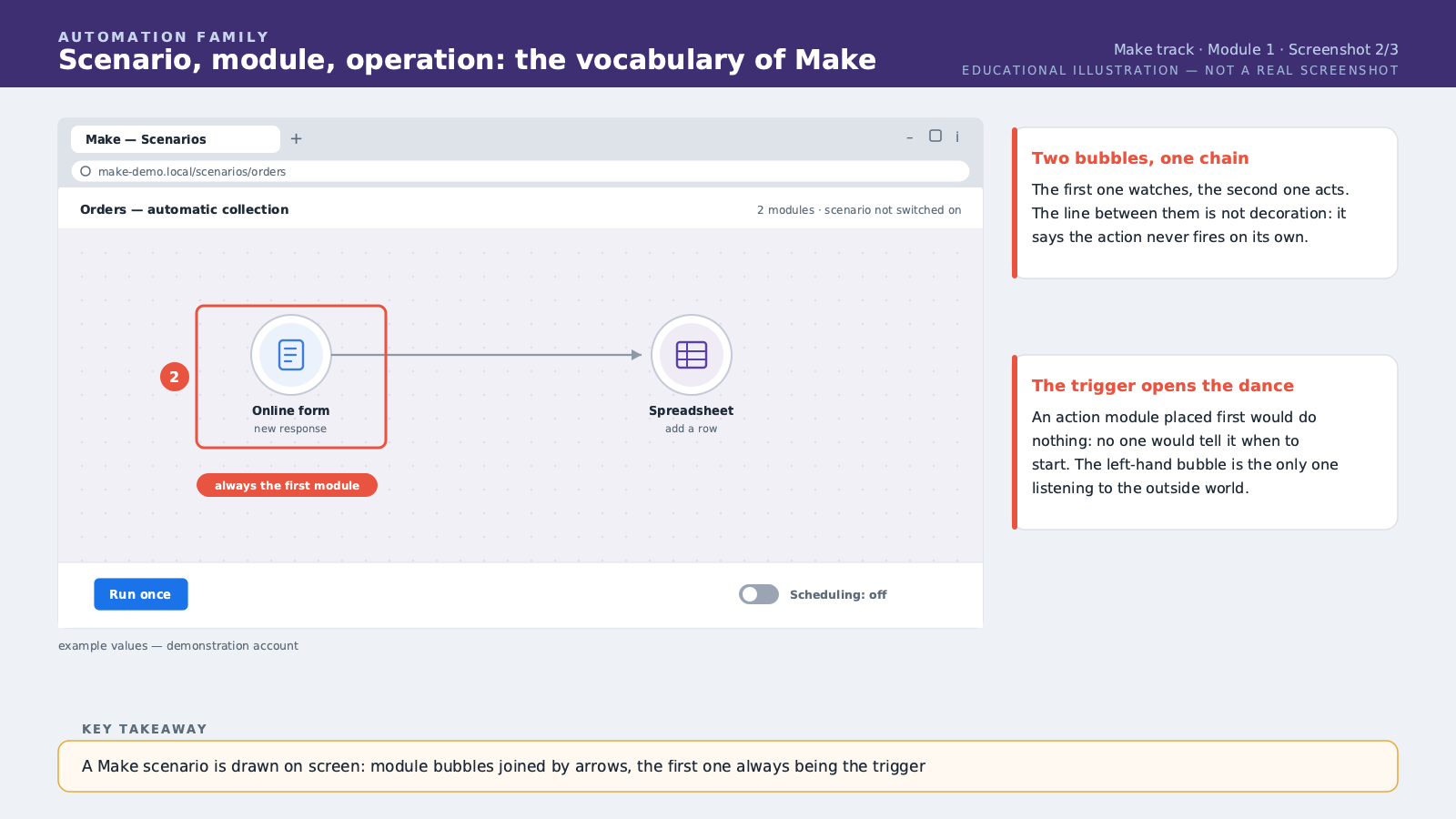
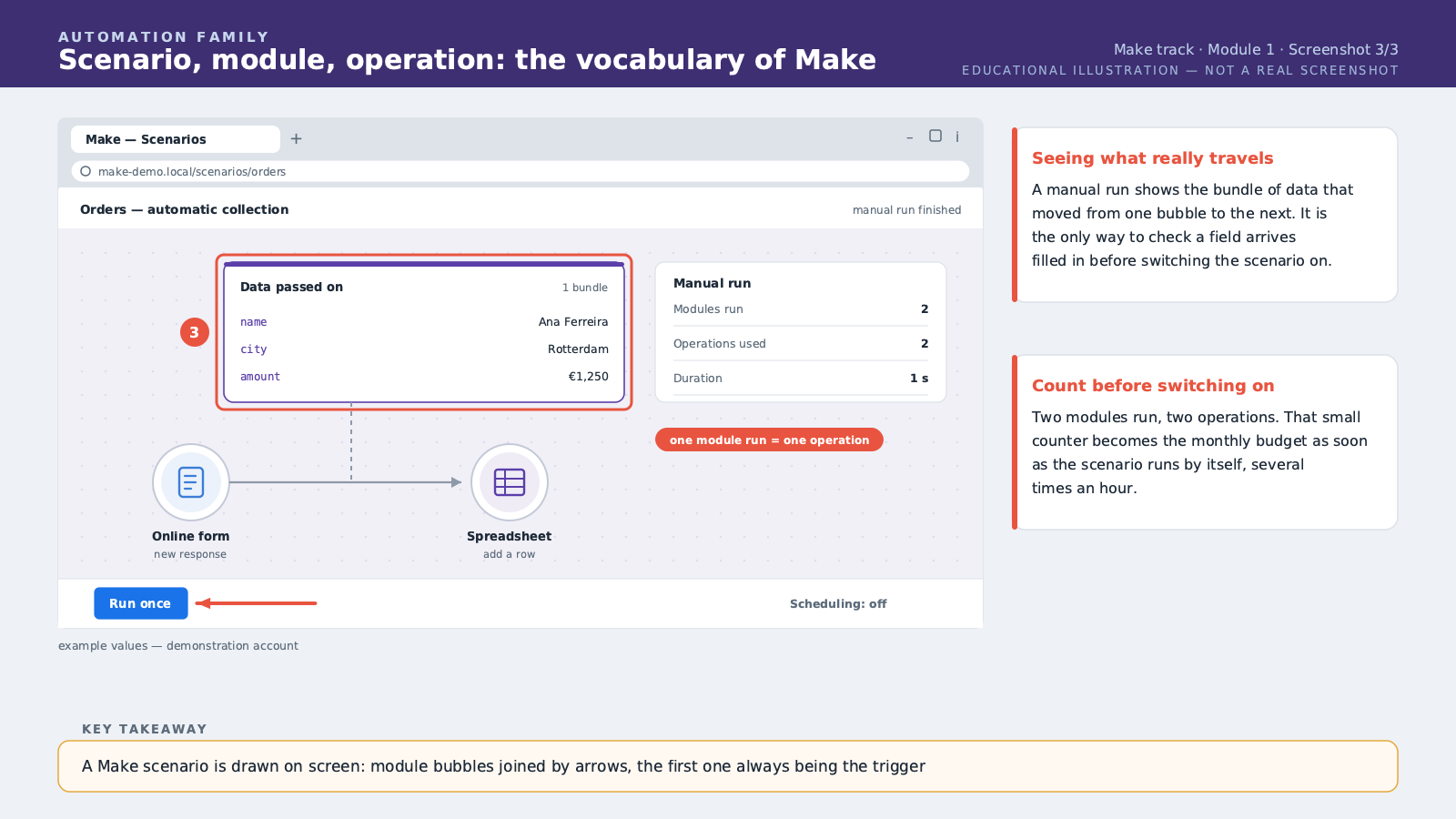
Welcome to the first module of Automating with Make. You've already touched simple automation: an event happens, an action fires. Make takes you a step further. Here, an automation isn't called a "workflow" like in some other tools — it's called a "scenario". The word is well chosen: you're literally going to draw, on screen, the complete flow of your automation, step by step, like a director preparing a shoot. Make used to be called Integromat, before it changed its name. Just remember the current name: Make, as in the verb "to build", "to create". In a Make scenario, each step is represented by a round bubble called a module. A module is a precise action: fetching a new order, sending an email, adding a row to a table. These bubbles are connected by arrows that show the direction data flows. And that's the whole visual strength of Make: at a glance, you see the complete path your data travels, from the first module to the last. The first module of a scenario is always called the trigger. It watches for a specific event — a new row in a table, a new message, a scheduled time — and wakes up the whole scenario as soon as that event happens. All the following modules then run in order, left to right, using the data the trigger fetched. An important idea to remember from now on: every time a module runs, Make consumes what's called an operation. An operation is a unit of work: fetching a piece of data, sending it somewhere, transforming it. Your Make subscription includes a certain number of operations per month, and we'll come back to this cost topic in detail later in the course. For now, just remember that every bubble that lights up in your scenario has a cost, even a small one. Let's take a concrete example for this first module. Picture a small natural cosmetics shop in Kigali. Customers place orders through an online form, but each order then has to be written down by hand into a tracking spreadsheet, so the manager knows what to prepare. This manual step takes time every day, and an order sometimes gets forgotten in the rush. The scenario you'll build in this module's exercise solves this problem with just two modules. The first module is the trigger: it watches the order form and wakes up as soon as a new order arrives. The second module is a simple action: it automatically adds a new row to the tracking spreadsheet, with the order's information. Two bubbles, one arrow connecting them, and already a real daily time-saver for the shop. Before you start the exercise, one last essential point about the Make interface. Once your scenario is built, you can test it manually, module by module, before turning it on. This testing step is crucial: it lets you see exactly what data flows between the bubbles, and catch a mistake before it repeats twenty times a day in production. Never skip this step, even on a scenario that looks perfectly simple. Remember the key words of this module: scenario, module, trigger, operation. You'll meet them again in every module of this course.
Free preview, no account needed — the rest of this module and the following modules unlock after enrolling.
Convinced? Enroll to unlock the full course.
See pricing