
Automating with n8n
Module 1 · Module 1 — Discovering n8n and Thinking in Workflows · Lesson 1 of 1
Your First Workflow: From Sign-Up to Automatic Welcome Email
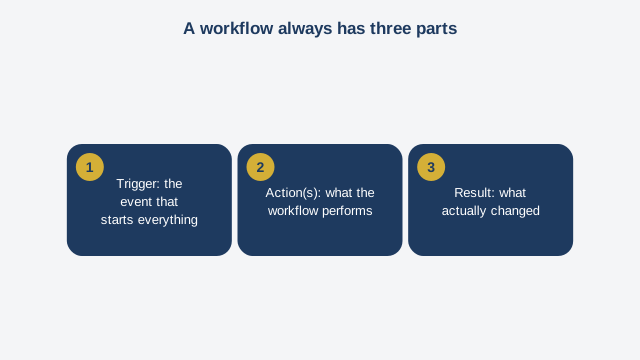
Welcome to the first module of Automating with n8n. Before touching the tool, let's take a moment to understand one simple but powerful idea. An automation is nothing more than a series of steps your computer runs on your behalf, as soon as a specific event happens. We call that series of steps a "workflow." You'll hear that word a lot in this course, so let's get comfortable with it right away. A workflow always has three parts. First, a trigger. That's the event that starts everything: a new row added to a spreadsheet, a message received, a specific time of day. Next come one or more actions. These are the steps the workflow runs automatically: sending an email, adding a row to a spreadsheet, notifying someone. And finally, there's the result: what actually changed once the workflow finished running. n8n is the tool that lets you build these workflows visually, without writing a full application. The name is spelled n, eight, n — it's short for "nodemation," roughly meaning "automation by nodes." A node, in n8n, is each block you place on your screen: one node for the trigger, one node for each action. You connect these nodes with arrows, and you get a visual diagram of your automation, from start to finish. Why choose n8n over another tool? Because it's open source — meaning its code is public and free — and it can be installed on your own server if you want full control over your data. That's a real advantage if you're handling sensitive information, or if you want to avoid depending entirely on an outside cloud service. You can also use it directly in the cloud, through the official n8n dot cloud service, with nothing to install, which is perfect for getting started. In this course, we'll begin with the cloud option, the simplest one, and we'll cover self-hosting later, in the final module. Here's a question worth asking before you build your first workflow: what repetitive task do you do every week, almost without thinking about it? Copying an order into a spreadsheet. Following up with a client who hasn't replied. Sending the same welcome message to every new sign-up. That's exactly the kind of task n8n will teach you to automate. Let's take a concrete example, the one we'll use for your first exercise. Picture a neighborhood association in Dakar running a sewing workshop. Registrations come in through an online form, and each new registration is automatically added to a Google Sheets spreadsheet. The problem is, nobody takes the time to send a welcome message to each registrant. The result: people sign up, then hear nothing further, and many simply forget to show up. Your first workflow will solve exactly that problem: as soon as a new row appears in the registration spreadsheet, a welcome email goes out automatically, with no one having to remember to send it. Before moving on to the exercise, remember the three key words from this module: trigger, action, result. Every time you build a workflow, ask yourself these three questions in order: what triggers this workflow? What should it do next? And what should the final result look like?
Free preview, no account needed — the rest of this module and the following modules unlock after enrolling.
Convinced? Enroll to unlock the full course.
See pricing