
No-Code / Low-Code Development with Supabase
Module 1 · Module 1 — Supabase overview · Lesson 1 of 1
Supabase overview
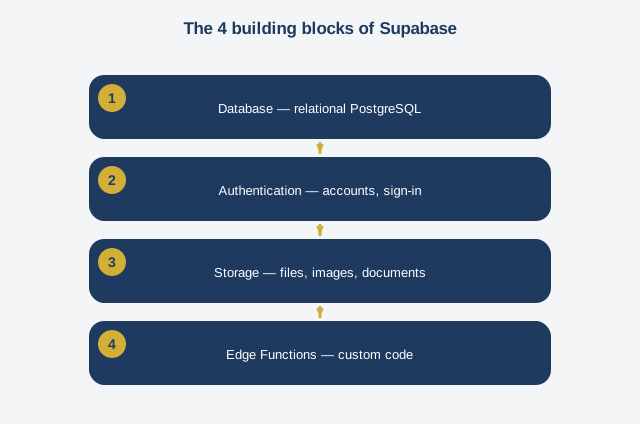
Welcome to this course on no-code and low-code development with Supabase. Before building anything, we need to understand what Supabase actually is. It's often called an open-source alternative to Firebase, but that comparison doesn't say much if you don't know either one. Let's put it differently: Supabase is a set of ready-to-use technical building blocks that let you build the "behind the scenes" of an application — what's called the backend — without having to write a server yourself from scratch. This overview covers four main building blocks. The first is the database: Supabase gives you a real relational database, using a technology called PostgreSQL, the same one used by very large companies worldwide. It isn't a simplified beginner's database — it's a professional-grade tool, which means what you learn here still holds if your project ever grows. The second building block is authentication: managing user accounts, sign-in, sign-up, forgotten passwords. Without Supabase, you'd have to code this whole system from scratch, with the security risks that implies if done poorly. With Supabase, this system already exists, ready to be configured. The third building block is storage, which lets you keep files, images, and documents linked to your database. For example, a user's profile photo or a PDF document sent by a client. The fourth building block, more technical, is server-side functions, called Edge Functions — we'll cover them in detail in Module 6. They let you run custom code when a specific event happens, for example sending an automatic email after a signup. One question comes up often: why not just do everything in the no-code interface itself, without Supabase? The answer comes down to one word: solidity. A no-code interface like Lovable is excellent for creating what the user sees and interacts with. But without a real database behind it, secure and well structured, the application stays fragile: data can get lost, mixed up between users, or accessible to people who shouldn't have access. Supabase provides that solidity, while the no-code interface stays simple to use. In the modules ahead, we'll explore each of these building blocks one by one, progressively building a real application.
Free preview, no account needed — the rest of this module and the following modules unlock after enrolling.
Convinced? Enroll to unlock the full course.
See pricing